

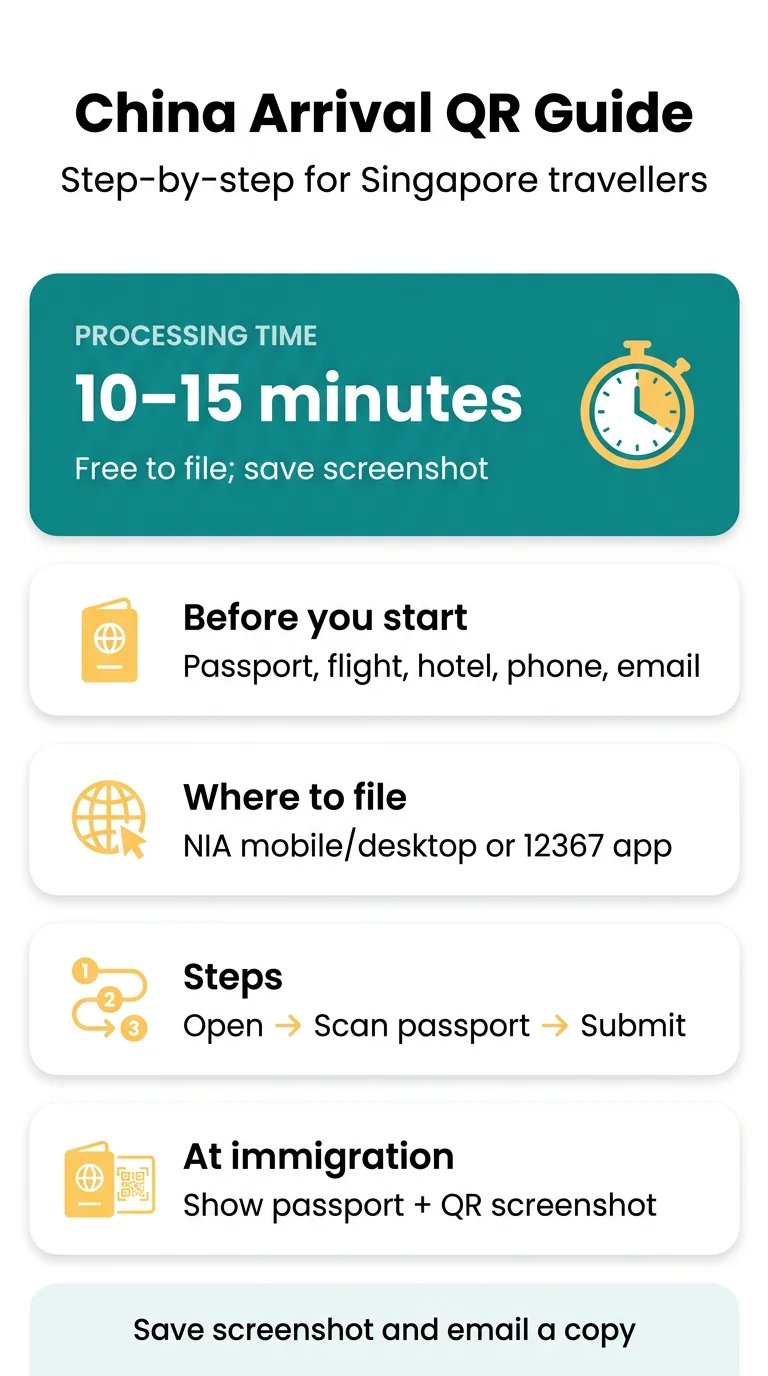
The China arrival card QR code generation process is free and takes about 10 to 15 minutes. You fill in the National Immigration Administration (NIA) form at s.nia.gov.cn/ArrivalCardFillingPhone/, then screenshot the QR code on the confirmation screen. Show it with your passport at immigration.
This guide is independent, not a government site. We don’t charge fees or file forms for you, so check the current entry rules before you fly.
Who Needs the Arrival Card QR Code
Foreign visitors entering mainland China need one, including Singaporeans on 30-day visa-free entry. Since 20 November 2025, foreign visitors file the arrival card online instead of on paper, and the form is free on all official channels.
It’s an entry declaration, not a visa, so a visa or 240-hour transit doesn’t exempt you. For a full breakdown of who must file and who is exempt, see our guide to China arrival card requirements and exemptions.
Seven groups are exempt from the arrival card:
- Holders of a valid Foreign Permanent Resident ID Card of the People’s Republic of China
- Non-Chinese holders of the Mainland Travel Permit for Hong Kong and Macau residents
- Group visa or group visa-free travellers
- 24-hour transit passengers who stay in the restricted area
- Cruise passengers who join and leave on the same ship
- Users of fast e-channels
- Foreign air, rail and sea crew
Unsure? Check the current entry requirements on the NIA channels before you travel.
China Arrival Card QR Code Generation Process
Gather your passport, hotel booking, flight, train or ship number, any visa number, phone and email. The system reads name, passport number, birth date and expiry from a photo of the data page. For the full checklist of documents to prepare, see documents needed for the China arrival card online.
Use the desktop page s.nia.gov.cn/ArrivalCardFillingPC/, the mobile page above, the NIA 12367 app, or its mini-program in WeChat or Alipay. For a walkthrough of the mini-program option, see our Alipay and WeChat mini-program guide.
Open a channel
Open one of the channels listed above.
Select nationality and passport type
Select your nationality and passport type.
Enter your passport data
Enter or scan your passport data.
Pick your entry details
Pick your entry policy (30-day visa-free, 240-hour transit or visa), transport, flight, port and city.
Enter accommodation and contact details
Enter your accommodation address (province, city, district, street, building number) and contact details.
Review, submit and save
Review every section, submit, and save the QR code straight away.
At land crossings like Shenzhen Luohu or Futian, choose “walking”, not “air”. Save the QR code as soon as it appears.
Type your name exactly as in your passport, including spelling, spacing and order. For help with name order, flight numbers and other fields, see our guide on how to fill personal details on the China arrival card.
Checking and Saving Your QR Receipt Offline
Once the form is submitted, the QR code appears on the confirmation screen. Check that your name and passport details match your passport. If you lose the code, our guide on how to retrieve your China arrival card receipt explains passport lookup and dead phone fixes.

Keep a screenshot in your photo album, since it works when your phone has no data:
- Save it to your photo album, and email a copy to yourself so it stays available offline.
Travelling with others? Keep any saved codes clearly organised so each one matches the right passport.
Showing the QR Code at Immigration
At the foreigner entry lane, present your passport and the QR code to the officer.
Follow the signs for foreigner entry and show your passport and the QR code to the officer. Fingerprints may be collected if requested.
If you could not submit the card online before arrival, use the self-service devices or QR codes at the port, or the paper arrival card at the immigration counters. For the airport procedure in detail, see our China immigration self-service kiosk procedure.
Edits, Related Forms and Common Mistakes
You can’t edit a submitted card. Submit a new one and show the newest code matching your passport. At customs, use the green channel if you have nothing to declare, or the red channel if you do. For more on fixing wrong names or passport numbers, see China arrival card mistakes and corrections.

| Mistake | Cause | Fix |
|---|---|---|
| Details differ from passport | Typo or swapped digits | Submit a new card |
| QR code doesn’t appear | Submission not completed | Submit the form again before you fly |
| Travel plans change after submitting | New flight or hotel | Submit a new card and show the newest code |
| Sites that imitate official ones and ask for payment | Look-alike site | The form is free; use the channels listed above and ignore sites asking for payment |
Questions? Call the NIA hotline 12367. In a private home, report to the police station within 24 hours.
Frequently Asked Questions (FAQ)
What is the China arrival card QR code generation process for Singapore passport holders?
You choose 30-day visa-free entry, enter your passport, flight and hotel details on the NIA form, and submit. The QR code appears on the confirmation screen. Save a screenshot of it on your phone, then show the QR code with your passport at immigration.
How long does the China arrival card QR code generation process take?
About 10 to 15 minutes if your passport, transport details and hotel address are at hand. You can submit the card any time before travel, so it’s easiest to fill it in at home before your flight.
Can I use a screenshot of the China arrival card QR code at immigration?
A saved screenshot of the QR code can be shown at immigration when you have no mobile data. Make sure the details match your passport.
How do I know my arrival card submission was successful?
After you submit the form, the QR code appears on the confirmation screen, and you save and show that code at immigration. The sources do not describe any separate verification step.
Can I edit the QR code after submitting the arrival card?
No. If your passport number or flight is wrong, submit a new card and show the newest code. Each entry needs its own card, so re-entering mainland China requires a new submission.
Where do I fill in the China arrival card, and does it cost anything?
Use s.nia.gov.cn/ArrivalCardFillingPC/, the mobile page, the NIA 12367 app or its mini-program. The form is free of charge on all official channels. Ports also display QR codes for the form.
Do I need a separate QR code for each family member?
Each traveller’s details must match their own passport, so keep any saved codes organised by person. For who must file a separate declaration, check the NIA channels before you travel.
What should I do if my QR code does not scan at the border?
If the QR code cannot be read, tell the officer. Ports may offer self-service devices, QR codes to scan, or paper arrival cards at the immigration counters.
Sources and Further Reading
- Check the current entry requirements on the NIA channels listed above.
Entry rules can change, so check current requirements before you travel.